
inserting_a_link_into_a_message
This is an old revision of the document!
Inserting a Link into a Message
To insert a link into a message, from within either a new thread or a reply:
- Select the link icon from the toolbar:
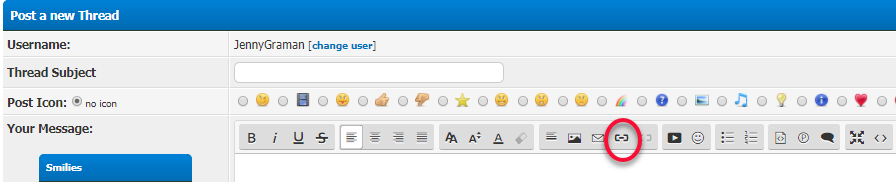
- Type in the URL for the message
- Provide a description of the URL to make this a more concise link
- Select Insert
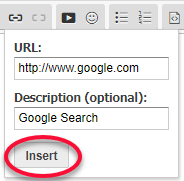


Please also review the information below for special instructions related to linking to forum messages or external sites.
** Note for users of Internet Explorer: ** If you have difficulty inserting links into your messages, that's a browser problem. Please try another web browser, such as Edge, Chrome, or Firefox.
inserting_a_link_into_a_message.1513073031.txt.gz · Last modified: by karen_henry